

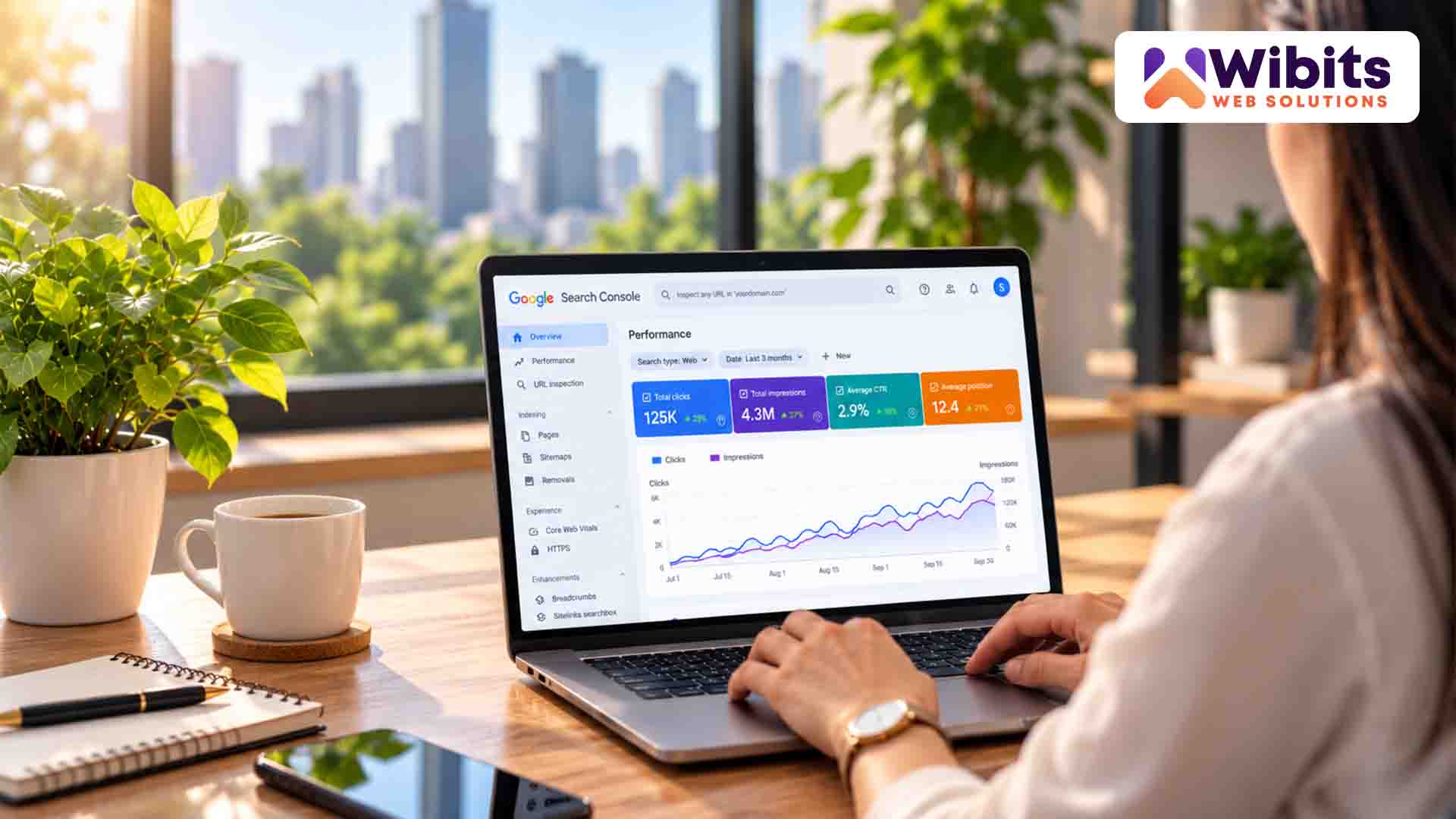
Think about the last time you searched for something online.
Most of the time, you probably type a few words into Google and look through the results. But what if you don’t know the right words to describe what you’re looking for?
Maybe you saw a chair you liked, a dress you wanted to find, or a place you couldn’t identify. Instead of trying to describe it, you could simply take a picture and search with the image.
That’s where visual and multimodal search come in.
Google has been offering image-based search for years. The latest update is useful for website owners because they can now get more information about how their content performs when people find it through multimodal searches.
Google has added a Multimodal filter to Search Console’s Performance reports. It covers searches where people use images through features such as Google Lens, Circle to Search on Android, image uploads to Google Search and Chrome’s “Search this image” feature.
So, can an image actually bring someone to your website?
Now, businesses have more data to help them find out.
Multimodal search simply means searching with more than one type of input.
Traditional search usually looks like this:
You type → Google understands → You get results.
Multimodal search can work a little differently:
You take a picture → Google understands the image → You get results.
You can also use an image along with a question.
For example, you could take a picture of a pair of shoes and ask:
“Where can I find something like this?”
Google can use both the image and your question to understand what you’re looking for.
This is helpful because people don’t always know the exact words they need to search. Sometimes, showing something is much easier than explaining it.
Google hasn’t introduced multimodal search with this update. Image-based search has been around for years.
The new part is the reporting.
Website owners can now use the Multimodal filter in Google Search Console to get more information about how their pages perform when people search using images.
Google says this data is available in the Search results Performance report and is also included in the Generative AI features report. The data can also be exported for further analysis. Google’s official announcement
For businesses, this gives another way to understand how people are finding their websites.
For years, SEO has focused a lot on words.
Businesses research keywords, create useful content, improve their pages and try to appear when people search for related topics.
But people don’t always search by typing anymore.
They can discover content through:
Take a furniture store as an example.
Someone sees a table they like somewhere and uses an image to search for something similar. If that search eventually takes them to a furniture store’s website, the journey started with a picture rather than a typed keyword.
That’s why visual content is worth paying attention to as part of an SEO strategy.
Google’s SEO guidance also explains that images can be one of the ways people discover a website.
Simply uploading an image and hoping people find it isn’t enough.
The image should make sense for the page, be clear and be presented properly.
A few simple things can help.
Use descriptive file names.
A name such as black-leather-office-chair.jpg tells you much more than IMG00452.jpg.
Write useful alt text.
Describe the image naturally when alt text is appropriate. Don’t fill it with the same keywords again and again.
Give images context.
Keep images close to relevant text so both visitors and search engines have a better idea of what the image is about.
Keep images fast.
Large image files can slow down a website, so optimise them without unnecessarily reducing their quality.
Google has more guidance on image SEO, including file names, alt text, image quality and responsive images. Google Search Central: Image SEO Best Practices
The point isn’t to put keywords everywhere.
It’s simply to make your images useful and easy to understand.
Visual search isn’t just for online stores.
E-commerce
People can search for products they’ve seen somewhere else and look for similar products.
Fashion
Clothing, shoes, bags and accessories are naturally visual. Sometimes a picture says more than a product name.
Travel
People often discover destinations through photos. Useful images can help travel websites become part of that discovery.
Restaurants
Food is highly visual. Good photos can help people understand what a restaurant offers before they decide to visit.
Real Estate
Property photos are an important part of how people explore homes, offices and other spaces.
Local Businesses
Photos of products, locations, services and completed work can give potential customers a better idea of what a business offers.
This is where the new reporting becomes useful.
Instead of guessing whether visual search is helping your website, you can check the data.
You might find that some pages are getting more visibility through multimodal searches.
Maybe your product pages are getting attention.
Maybe your travel guides are appearing more often.
Or maybe your visual content isn’t getting much search activity at all.
That information can help you decide what needs more attention.
The simple idea is:
Check the data before making assumptions.
You don’t need to optimise every image on your website just because visual search exists. First see what’s happening, then decide what needs to be improved.
Yes.
Visual search doesn’t mean traditional SEO is going away.
Your website still needs useful content, a clear structure, good technical performance and information that matches what people are looking for.
Visual search simply gives people another way to discover that content.
Think of it as another door to your website.
Some people may find you through a normal Google search. Others may discover you through an image. Someone else may come across your page through an AI-powered search experience.
The goal is to make your website useful whichever way people find it.
Also read: Your Website May Be SEO-Friendly. But Is It AI-Friendly?
You don’t need to completely change your SEO strategy.
Start with the basics:
These aren’t complicated changes. They’re basic website practices that become more useful as search becomes more visual.
Search is becoming more flexible.
People don’t always search using perfectly written keywords. They may take a photo, circle something on their screen or combine an image with a question.
Because of this, businesses need to think about how their whole website communicates information, not just the words on the page.
Good SEO is still about helping search engines understand a website and helping people find useful information.
The difference is that there are now more ways for people to discover that information.
With Google’s new Search Console reporting, businesses can also get a better idea of whether multimodal search is actually bringing people to their website.
Seeing your website’s search data is useful. Knowing what to do with that data is where things get more practical.
For example, a business owner may notice that some pages are getting visibility through multimodal searches, while others aren’t. Then come the obvious questions:
Which pages need improvement? Are the images helping? Is the website technically sound? What content should be updated? And are these changes actually improving search performance?
This is where Wibits can help.
Wibits can look at a website’s overall SEO and digital performance, identify areas that need attention and help businesses improve their website, content and search visibility. From technical SEO and website structure to content and digital marketing, the focus is on turning performance data into useful actions.
So, the new Search Console report isn’t just another number to check.
For business owners, it can be another way to understand how people are finding their website and where there is room to improve.
And sometimes, that discovery may start with something as simple as an image.
1. Is multimodal search new?
No. Google has offered image-based search experiences for years. The recent change is the addition of more performance reporting for multimodal searches in Search Console.
2. What is the new Multimodal filter in Google Search Console?
It is a filter in the Performance reports that lets website owners view data related to web searches where users use images as part of their search.
3. Can images bring visitors to my website?
Yes. People can discover websites through image-based search experiences. How much traffic a website receives depends on its content, audience and search behaviour.
4. Does adding more images improve SEO?
Not automatically. Adding unnecessary images won’t improve SEO. Images should be relevant, useful and properly presented.
5. Should I add keywords to image file names?
Use descriptive file names that accurately explain the image. There is no need to force keywords into every filename.

Google has a new system called SAFE, and it has caught the attention of people…
Think about the last time you searched for something online. Most of the time, you…

The internet search methods have changed. Now rather than accessing tens of sites one would…
A small business already has plenty on its plate. Then it has to compete online…
A potential customer opens ChatGPT and asks, “Who are the best companies for SEO in…

For years, website owners have focused on one big question: Can Google find my website?…

Think about the websites you visit without even thinking twice. Maybe there's a technology site…
For years, the goal was pretty simple. Get your website onto Google. Get it near…

You wake up to an urgent notification, a harsh review, an old legal scrape, or…

Remember when building a decent website and tossing in a few keywords was enough to…